BUG REPORT
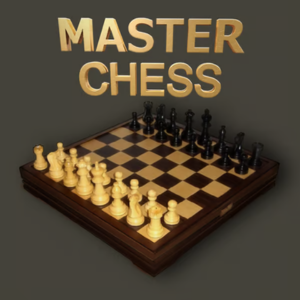
Master Chess
Players who enjoyed Master Chess also loved these
Hot titles being played across the platform
 HOT
 HOT
 HOT
 HOT
 HOT
 HOT
 HOT
 HOT
 HOT
 HOT
 HOT
 HOT
 HOT
 HOT
 HOT
 HOT
 HOT
 HOT
 HOT
 HOT
Pick another awesome game and continue playing









Chess has been around for over 1,500 years, but finding a clean, fast version you can actually play during a study hall or a slow afternoon is harder than it should be. Master Chess fixes that. It's a no-nonsense browser chess game that drops you straight onto the board with crisp piece graphics, smooth drag-and-drop movement, and a built-in opponent that ranges from "just learning" to "why is my queen already gone?"
It's a favorite on unblocked games premium platforms because it loads instantly, needs zero downloads, and works on basically any device with a browser. Whether you're a tournament player looking for a quick blitz fix or someone who just learned how the knight moves, Master Chess gives you a real game without the bloat of account signups or ads screaming in your face.
The objective is simple and brutal: checkmate the opponent's king. You win by putting their king in a position where it's under attack and has no legal escape — no capture, no block, no move to safety. If neither side can force a checkmate, the game ends in a draw (stalemate, insufficient material, threefold repetition, or the 50-move rule).
Each piece moves by its classic rules. Pawns push forward one square (two on their first move) and capture diagonally. Knights jump in an L-shape. Bishops slide diagonally, rooks slide straight, the queen does both, and the king moves one square in any direction. Don't forget special moves like castling, en passant, and pawn promotion — Master Chess handles all of them automatically.
Controls:
1. Control the center early. Squares like e4, d4, e5, and d5 are the highways of the board. Pieces placed there attack more squares and give you more options. Open with a pawn to the center, then develop your knights and bishops toward it.
2. Castle within the first ten moves. Getting your king tucked behind pawns and connecting your rooks is the fastest way to avoid early disasters. A king stuck in the middle is a king waiting to get forked.
3. Think in threats, not just moves. Before you move, ask: "What does this attack? What does my opponent threaten next?" On the Master difficulty, the AI punishes loose pieces instantly — so always scan for hanging pieces and pins before you touch anything.
Yes, completely free. No downloads, no accounts, no paywalls — just open it and play. That's why it's a staple on unblocked games 77 style hubs.
Absolutely. It runs in any modern browser and doesn't require Flash or heavy plugins, making it one of the most reliable unblocked games for school picks out there.
Most versions are built around playing against the AI, but many also support local pass-and-play so you can challenge a friend on the same device. Check the menu for a "2 Player" toggle.