BUG REPORT
Minecraft Builder
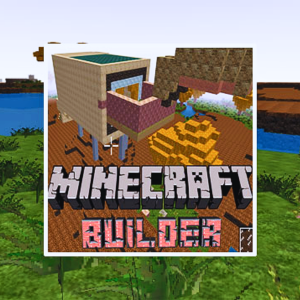
Players who enjoyed Minecraft Builder also loved these













Hot titles being played across the platform
 HOT
 HOT
 HOT
 HOT
 HOT
 HOT
 HOT
 HOT
 HOT
 HOT
 HOT
 HOT
 HOT
 HOT
 HOT
 HOT
 HOT
 HOT
 HOT
 HOT
Pick another awesome game and continue playing














If you've ever lost hours stacking blocks in a sandbox world, Minecraft Builder strips that addictive loop down to its purest form. This brain game drops you into a grid-based playground where you place, break, and arrange blocks to match a target structure — or just build whatever your imagination spits out. No creepers sneaking up behind you, no hunger bar nagging at your screen. Just you, a palette of blocks, and a puzzle that rewards spatial thinking and quick pattern recognition.
It's a hit because it scratches two itches at once: the creative freedom of classic block-building and the satisfying "aha" moment of a logic puzzle. Whether you're killing five minutes between classes or trying to beat your own best time, Minecraft Builder delivers that instant dopamine hit without demanding a massive download or a beefy PC.
The core objective is simple: replicate the on-screen blueprint using the blocks available to you. Each level shows a target design — sometimes a simple house frame, sometimes an intricate pixel-art creature — and you've got to place blocks in the right spots to complete it. Accuracy matters more than speed at first, but once you've got the pattern down, racing the clock becomes the real challenge.
Desktop controls: Use your mouse to select blocks from the palette and click to place them on the grid. Right-click (or a designated key) removes a misplaced block. Drag to rotate your view or scroll to zoom in on tight corners.
Mobile controls: Tap to place, long-press to delete, and pinch to zoom. The touch interface is surprisingly responsive, so you can build on the bus without wanting to throw your phone.
Most versions found on unblocked games premium 77 and similar portals run straight in your browser — no installs, no fuss.
1. Scan the blueprint before you touch a single block. Count the rows and columns of the target design. Knowing the dimensions upfront stops you from building too wide or too tall and having to tear it all down.
2. Work from the corners inward. Anchoring your build at the edges gives you reference points and keeps the whole structure aligned. It's way easier to fill the middle once the frame is locked in.
3. Use color as a memory shortcut. If a level uses multiple block types, group them mentally by color or texture. Your brain latches onto patterns faster than raw coordinates, so this speeds up recall on repeat attempts.
Yes — the browser version is completely free. You can jump in through portals like unblock games sites without paying a cent or creating an account.
Absolutely. Since it runs in-browser and loads fast, it's a favorite on unblocked game platforms. Just keep an eye out for the teacher.
Most versions save your current level locally in your browser, but clearing your cache might wipe it. If you're mid-build on something epic, finish it before you clear your history.